
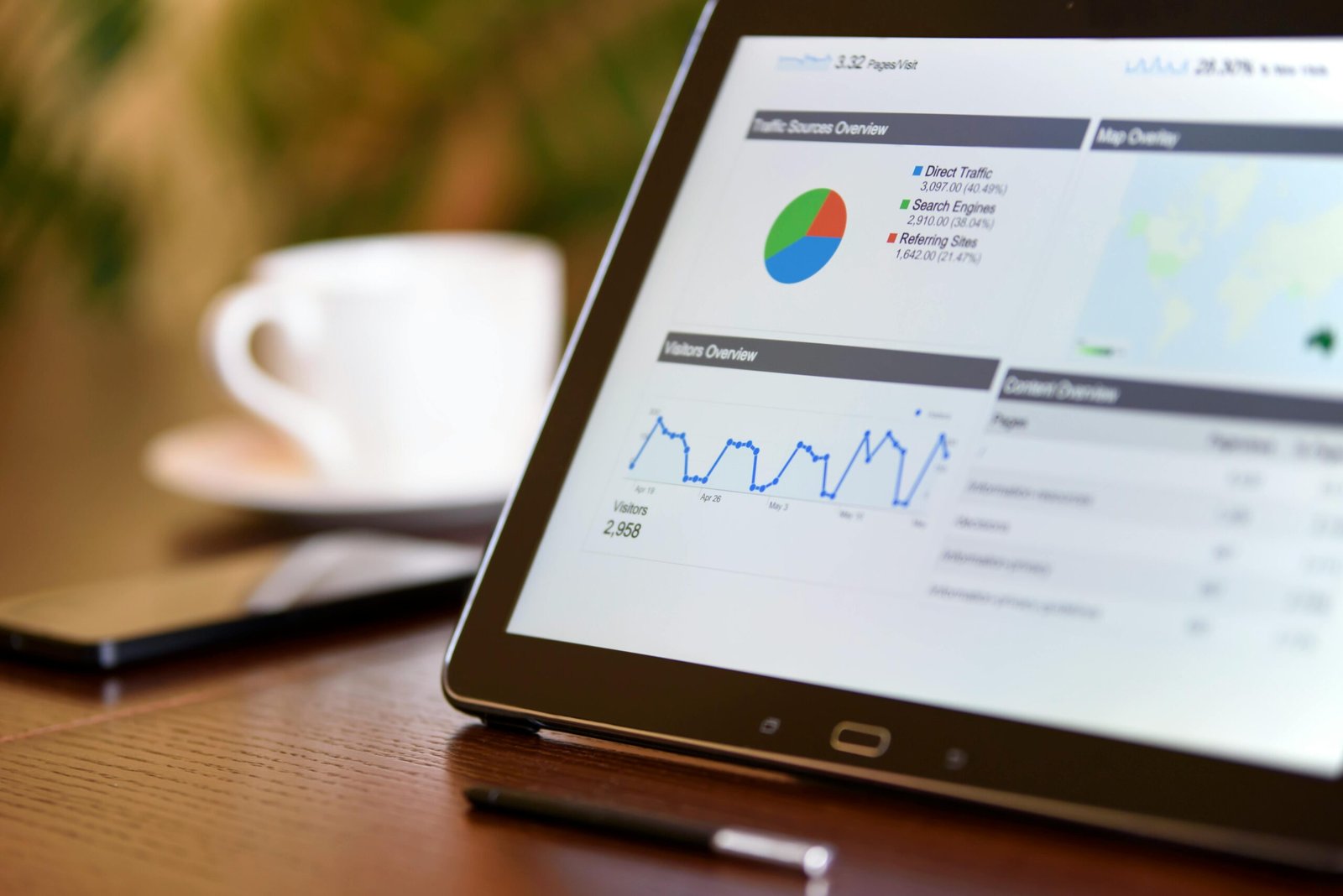

Running a website or online business without analytics is a little like driving without a dashboard. You can keep moving, but it is much harder to know what is working, where problems are developing, and which decisions are actually producing results.
Modern analytics tools can help answer those questions.
Depending on the platform, you can use analytics to understand website traffic, user behavior, marketing campaigns, product engagement, search performance, conversions, or business data.
The challenge is choosing the right tool.
A blogger does not necessarily need the same analytics platform as a SaaS company. An ecommerce store may need conversion and customer journey data, while a large enterprise may need advanced business intelligence and data visualization.
In this guide, we compare 10 analytics tools for 2026 and explain what each one does best, who should use it, its strengths and limitations, and how it fits into a practical analytics workflow.
Quick answer: Google Analytics is a strong starting point for website analytics, Hotjar and Crazy Egg are useful for visualizing user behavior, Mixpanel is designed around product analytics, Matomo is attractive to privacy-conscious organizations, Semrush and Ahrefs are particularly useful for SEO and search performance, HubSpot connects analytics with CRM and marketing, Tableau focuses on business intelligence and data visualization, and Adobe Analytics is designed for more advanced enterprise requirements.
What Are Analytics Tools?
Analytics tools are software platforms that collect, organize, visualize, and analyze data so businesses can understand what is happening across their websites, products, marketing campaigns, or operations.
Depending on the platform, analytics can help you measure:
- Website traffic
- User engagement
- Conversion rates
- Marketing performance
- Search visibility
- Customer journeys
- Product usage
- Retention
- Revenue
- Business performance
The important distinction is that not every analytics tool measures the same thing.
For example:
- Google Analytics focuses heavily on website and digital measurement.
- Hotjar focuses on visual user behavior.
- Mixpanel focuses on product and event analytics.
- Semrush focuses heavily on SEO, search, competitors, and digital marketing.
- Tableau focuses on business intelligence and data visualization.
Understanding that difference makes choosing an analytics platform much easier.
Why Analytics Matters for Online Businesses
Analytics is valuable because it replaces assumptions with measurable information.
Instead of asking:
“Why aren’t visitors converting?”
You can investigate questions such as:
- Which pages receive the most traffic?
- Which traffic sources generate conversions?
- Where do users leave the website?
- Which campaigns generate valuable visitors?
- Which keywords bring organic traffic?
- Which product features are used most often?
- Which customer segments retain the longest?
The goal is not to collect as much data as possible.
The goal is to collect useful data and turn it into better decisions.
How We Evaluated These Analytics Tools
We looked at each platform based on several criteria:
Analytics Type
Does it focus on web analytics, product analytics, SEO, marketing, business intelligence, or user behavior?
Data and Reporting
What types of reports, dashboards, and analysis are available?
Ease of Use
Can a small business use it without a dedicated analytics team?
Integrations
How easily can it connect with other business and marketing systems?
Privacy
What options are available for organizations with stronger data-control requirements?
Scalability
Can the platform support a small website as well as a larger operation?
Best Use Case
What specific problem does the platform solve particularly well?
This approach avoids treating every analytics platform as if it were competing for exactly the same job.
Quick Comparison of the Best Analytics Tools
| Tool | Best For | Analytics Type | Main Strength |
|---|---|---|---|
| Google Analytics | Website measurement | Web analytics | Broad digital analytics |
| Hotjar | User behavior | Behavioral analytics | Heatmaps and recordings |
| Mixpanel | SaaS and products | Product analytics | Events, funnels, retention |
| Matomo | Privacy-focused analytics | Web analytics | Data control and privacy |
| Semrush | SEO and marketing | Search/marketing analytics | Search and competitor insights |
| Ahrefs | SEO performance | SEO analytics | Search, backlinks, technical SEO |
| Tableau | Business intelligence | BI & visualization | Interactive dashboards |
| HubSpot | Marketing + CRM | Marketing analytics | Connecting marketing with CRM |
| Crazy Egg | CRO | Behavioral analytics | Heatmaps and testing |
| Adobe Analytics | Enterprise analytics | Digital analytics | Advanced customer journey analysis |
1. Google Analytics, Best for Website Analytics
Google Analytics remains one of the most widely used platforms for measuring website and digital activity.
Its current GA4 model is built around events rather than the older Universal Analytics session-based approach.
For website owners, this means you can measure actions such as:
- Page views
- User engagement
- Form interactions
- Purchases
- Sign-ups
- Custom events
- Traffic sources
It can also work alongside other Google products such as Google Ads and Search Console.
Key Strengths
- Broad website analytics
- Event-based measurement
- Conversion tracking
- Audience analysis
- Reporting dashboards
- Google ecosystem integrations
Pros
- Powerful capabilities
- Suitable for many types of websites
- Large ecosystem
- Strong integration with Google products
- Useful for marketing measurement
Cons
- Can be difficult for beginners
- Configuration quality has a major impact on the usefulness of the data
- Advanced reporting can require a learning curve
Best For
Bloggers, publishers, marketers, ecommerce businesses, and website owners who want a broad web analytics platform.
Our Verdict
Google Analytics is a strong starting point for website measurement, particularly if you already use Google Ads, Search Console, or other Google services.
Explore Google Analytics if you need a broad platform for measuring website traffic, events, and conversions.
2. Hotjar, Best for Understanding User Behavior
Google Analytics can tell you that users visited a page.
Hotjar can help you understand what users did on that page.
Its visual behavior tools include heatmaps, session recordings, surveys, and feedback features.
These can help identify:
- Where visitors click
- How far they scroll
- Which elements attract attention
- Where users encounter friction
- How visitors navigate pages
Key Features
- Heatmaps
- Session recordings
- Feedback
- Surveys
- User behavior analysis
- Conversion-related insights
Pros
- Visual and easy to understand
- Useful for UX research
- Helps identify page-level problems
- Complements traditional analytics platforms
Cons
- Not a complete replacement for a traditional web analytics platform
- Session recording can generate large amounts of information
- Privacy and consent settings need careful configuration
Best For
Website owners, UX teams, marketers, and businesses working on conversion optimization.
Our Verdict
Hotjar works best alongside a broader analytics platform.
Google Analytics can tell you what happened.
Hotjar can help you investigate how users behaved.
Explore Hotjar if understanding user behavior is more important than simply measuring traffic.
3. Mixpanel, Best for Product Analytics
Mixpanel is particularly useful for SaaS companies, apps, and digital products.
Instead of focusing primarily on page views, Mixpanel is built around events and user actions.
Its platform provides tools for analyzing funnels, retention, cohorts, and user behavior. Mixpanel also offers real-time insights into product usage.
Key Features
- Event tracking
- Funnels
- Retention analysis
- Cohort analysis
- User segmentation
- Product usage analytics
- Real-time insights
For example, a SaaS company could track:
- User signs up
- User creates a project
- User invites a teammate
- User activates a premium feature
- User becomes a paying customer
Mixpanel can then help analyze where users drop out of that journey.
Pros
- Strong product analytics
- Excellent funnel analysis
- Useful retention reporting
- Powerful segmentation
- Good for SaaS and digital products
Cons
- More complex than basic website analytics
- Requires thoughtful event planning
- May be unnecessary for simple content websites
Best For
SaaS companies, mobile apps, product teams, and businesses that need to understand user journeys inside a digital product.
Our Verdict
Mixpanel is one of the better choices when the question is not simply “How many people visited?” but “What are users actually doing inside our product?”
Explore Mixpanel if product usage, retention, and user journeys are central to your business.
4. Matomo, Best for Privacy-Focused Analytics
Matomo is a strong alternative for organizations that want greater control over analytics data.
It provides traditional web analytics capabilities while placing a significant emphasis on privacy and data ownership.
Matomo offers both cloud and self-hosted options, with its On-Premise version allowing organizations to keep analytics data on their own infrastructure.
Its feature set includes:
- Real-time reports
- Goals
- Ecommerce analytics
- Campaign tracking
- User analytics
- Custom dimensions
- Conversion optimization
- Heatmaps
- Session recordings
Matomo also provides configurable privacy features such as IP anonymization, data retention controls, cookie controls, and opt-out mechanisms.
Pros
- Strong privacy focus
- Self-hosted option
- Data ownership
- Real-time reporting
- Broad web analytics capabilities
- Conversion optimization features
Cons
- Self-hosting requires technical administration
- Some businesses may find Google Analytics easier to integrate into their existing Google ecosystem
- Advanced configurations require more planning
Best For
Privacy-conscious businesses, organizations with data-control requirements, and users looking for a Google Analytics alternative.
Our Verdict
Matomo is particularly compelling when data ownership and privacy are major priorities.
Explore Matomo if you want more control over where your analytics data is stored and how it is managed.
5. Semrush, Best for SEO and Marketing Analytics
Semrush is different from Google Analytics because its primary strength is not simply measuring your own website visitors.
It provides tools for understanding:
- Search performance
- Keywords
- Competitors
- Backlinks
- Market trends
- Advertising
- Local visibility
- AI visibility
Its current platform includes keyword research, competitor analysis, market analysis, technical site auditing, backlink analysis, and AI visibility tracking.
Key Features
- Keyword research
- Competitor analysis
- Keyword tracking
- Technical SEO audits
- Backlink analysis
- Market analysis
- Traffic insights
- AI visibility tracking
- Content optimization
Pros
- Broad SEO toolkit
- Strong competitor research
- Useful for agencies and marketers
- Combines multiple marketing workflows
- Increasing focus on AI search visibility
Cons
- More expensive than basic analytics tools
- Large feature set can be overwhelming
- Not a direct replacement for Google Analytics
Best For
SEO professionals, agencies, publishers, content marketers, and businesses competing in search.
Our Verdict
Semrush is better understood as a digital marketing and search intelligence platform rather than a conventional website analytics tool.
Explore Semrush if SEO, competitor research, and search visibility are major parts of your growth strategy.
6. Ahrefs, Best for SEO Performance and Search Analytics
Ahrefs is another major SEO platform, but its toolkit extends well beyond backlink checking.
Its current platform includes:
- Site Explorer
- Keywords Explorer
- Site Audit
- Rank Tracker
- Content Explorer
- Web Analytics
- GSC Insights
- AI visibility tools
Ahrefs Site Audit can identify more than 170 technical and on-page SEO issues, including problems involving titles, content, links, indexability, Core Web Vitals, structured data, and more.
Its Rank Tracker also supports competitor comparisons and ranking monitoring.
Pros
- Strong SEO capabilities
- Excellent technical auditing
- Keyword research
- Rank tracking
- Competitor analysis
- Backlink research
Cons
- Primarily useful for search and SEO rather than general website analytics
- Advanced capabilities can be expensive
- Beginners may need time to understand the platform
Best For
SEO professionals, publishers, agencies, and businesses focused heavily on organic search.
Our Verdict
Ahrefs is a strong choice if your main analytics questions involve search visibility, rankings, backlinks, and technical SEO.
Explore Ahrefs if organic search is an important growth channel for your business.
7. Tableau, Best for Business Intelligence and Data Visualization
Tableau is designed for organizations that need to turn complex datasets into interactive visual analysis.
Instead of focusing primarily on website traffic, Tableau can connect and analyze data from multiple sources.
Its current platform supports visual analytics, AI/ML capabilities, governance, data management, collaboration, and deployment across cloud and on-premises environments.
Key Features
- Interactive dashboards
- Data visualization
- Data exploration
- Business intelligence
- Data integration
- Reporting
- AI and machine learning capabilities
- Collaboration
Pros
- Powerful visualization
- Excellent for complex datasets
- Strong business intelligence capabilities
- Suitable for large organizations
- Flexible deployment options
Cons
- More complex than website analytics tools
- Requires better data preparation
- May be excessive for a small website
Best For
Businesses, analysts, data teams, and organizations that need advanced reporting and data visualization.
Our Verdict
Tableau makes sense when your problem is bigger than website traffic.
If you need to combine data from different business systems and turn it into interactive dashboards, Tableau is a much more appropriate tool.
Explore Tableau if business intelligence and data visualization are your priorities.
8. HubSpot Analytics, Best for Marketing and CRM Data
HubSpot takes a different approach by connecting marketing analytics with CRM data.
This can help businesses understand not only website or campaign performance, but also how marketing activity relates to contacts, leads, and customers.
HubSpot’s marketing analytics reports can be used to analyze channel engagement, website performance, and contact insights.
Key Features
- Marketing reports
- Campaign analytics
- Website analytics
- Email performance
- Contact insights
- CRM reporting
- Sales and marketing data
Pros
- Strong CRM integration
- Useful for inbound marketing
- Connects marketing and customer data
- Centralized reporting
- Good for growing businesses
Cons
- The platform becomes more complex as more HubSpot products are added
- Some advanced reporting capabilities depend on subscription level
- Not ideal if you only need simple website traffic data
Best For
Businesses that want to connect marketing analytics with CRM and sales data.
Our Verdict
HubSpot is particularly valuable when you want to answer questions such as:
“Which marketing activities generate customers?”
rather than simply:
“How many people visited my website?”
Explore HubSpot if connecting marketing, CRM, and business performance matters to you.
9. Crazy Egg, Best for Conversion Optimization
Crazy Egg focuses heavily on understanding what visitors do on individual pages.
Its current platform includes:
- Heatmaps
- Scrollmaps
- Confetti maps
- Session recordings
- A/B testing
- Web analytics
These tools can help identify where visitors interact with a page and where they encounter friction.
Key Features
- Heatmaps
- Scrollmaps
- Session recordings
- Click analysis
- A/B testing
- Conversion optimization
- Real-time traffic reporting
Pros
- Visual behavior reports
- Useful for landing-page optimization
- Combines behavioral analytics with testing
- Relatively focused use case
Cons
- Not a complete replacement for broader analytics platforms
- Primarily focused on website optimization
- More useful after you already have meaningful traffic
Best For
Marketers, landing-page owners, ecommerce businesses, and conversion-focused teams.
Our Verdict
Crazy Egg is particularly useful when you already know that a page receives traffic and now want to understand why visitors do or do not interact with it.
Explore Crazy Egg if conversion optimization is your main analytics goal.
10. Adobe Analytics, Best for Enterprise Digital Analytics
Adobe Analytics is designed for organizations with complex digital measurement requirements.
It is part of Adobe’s broader experience platform and can be used for detailed customer journey and digital experience analysis.
It is better suited to organizations with:
- Large datasets
- Multiple digital channels
- Complex customer journeys
- Dedicated analytics teams
- Enterprise reporting requirements
Key Strengths
- Advanced digital analytics
- Customer journey analysis
- Segmentation
- Enterprise reporting
- Integration with Adobe’s broader ecosystem
- Advanced analytics capabilities
Pros
- Extremely powerful
- Suitable for complex organizations
- Strong enterprise capabilities
- Broad customer journey analysis
Cons
- Too complex for most small businesses
- Requires significant expertise
- Cost and implementation can be substantial
Best For
Large enterprises and organizations with advanced digital analytics requirements.
Our Verdict
Adobe Analytics is not a tool most bloggers or small businesses need.
But for large organizations with complex customer journeys and dedicated analytics teams, it can provide a much deeper analytics environment than basic web analytics platforms.
Explore Adobe Analytics if your organization needs enterprise-level digital analytics.
Best Analytics Tools by Use Case
Instead of choosing a tool based only on its popularity, match it to the problem you are trying to solve.
Best for Website Analytics
Google Analytics
A strong general-purpose option for measuring website activity, events, traffic sources, and conversions.
Best for User Behavior
Hotjar
Useful when you need to understand clicks, scrolling, recordings, and page-level behavior.
Best for SaaS and Product Analytics
Mixpanel
A strong choice for event tracking, funnels, retention, and product usage.
Best for Privacy
Matomo
A compelling option for organizations that prioritize privacy and data ownership.
Best for SEO Analytics
Ahrefs or Semrush
Both provide extensive search and SEO capabilities, but their strengths and workflows differ.
Best for Marketing + CRM
HubSpot
Useful when you want marketing activity connected to customer and sales information.
Best for Data Visualization
Tableau
Best suited to organizations that need advanced dashboards and business intelligence.
Best for Conversion Optimization
Crazy Egg or Hotjar
Both can provide behavioral insights that help identify page-level conversion problems.
Best for Enterprise Analytics
Adobe Analytics
A better fit for organizations with complex digital measurement requirements.
Best Analytics Stack for a Small Website
You do not necessarily need ten analytics tools.
In fact, installing too many tools can create unnecessary complexity.
For a small website, a practical setup might be:
Google Analytics
For:
- Traffic
- Events
- Conversions
- Acquisition
Google Search Console
For:
- Search queries
- Impressions
- Clicks
- Search visibility
- Indexing information
Hotjar or Crazy Egg
For:
- User behavior
- Heatmaps
- Session recordings
- Conversion optimization
Semrush or Ahrefs
For:
- SEO research
- Keywords
- Competitors
- Technical SEO
This combination covers several different questions without requiring a huge analytics stack.
Best Analytics Stack for Ecommerce
An ecommerce business typically needs more than traffic data.
Useful areas include:
- Product views
- Add-to-cart events
- Checkout behavior
- Purchases
- Customer acquisition
- Revenue
- Repeat purchases
- Customer journeys
A possible setup could include:
- Google Analytics
- Ecommerce platform analytics
- Hotjar or Crazy Egg
- CRM/marketing analytics
- SEO platform
The important thing is to connect the data to actual business outcomes.
Best Analytics Stack for SaaS
SaaS companies often need to understand what users do after registration.
Useful measurements include:
- Sign-ups
- Activation
- Feature adoption
- Trial conversion
- Retention
- Churn
- Customer segments
This is where product analytics platforms such as Mixpanel can be more useful than relying only on traditional website analytics.
How to Analyze Website Performance Step by Step
Choosing an analytics tool is only half the job.
You also need a process.
Step 1: Define Your Goal
Start with a business question.
For example:
- Increase newsletter sign-ups
- Increase affiliate clicks
- Improve ecommerce sales
- Increase organic traffic
- Reduce checkout abandonment
Step 2: Identify the Important Metrics
Do not track everything.
Choose metrics related to the goal.
For example, if your goal is increasing newsletter subscriptions:
- Visitors
- Signup rate
- Signup source
- Landing-page conversion rate
may matter more than dozens of unrelated metrics.
Step 3: Track the User Journey
Understand the steps users take before completing the goal.
For example:
Search → Article → Product page → Affiliate click
or:
Ad → Landing page → Signup → Purchase
Step 4: Find Drop-Off Points
Look for places where users stop progressing.
A high traffic page with very few conversions may deserve more attention than a low-traffic page with an excellent conversion rate.
Step 5: Investigate User Behavior
Use behavioral analytics when you need to understand what is happening on the page.
Heatmaps and session recordings can help identify:
- Confusing layouts
- Ignored CTAs
- Poor navigation
- Unexpected clicks
- Long pages
- Mobile usability problems
Step 6: Test Improvements
Make one meaningful change at a time where possible.
For example:
- Change CTA placement
- Improve page structure
- Simplify a form
- Rewrite a headline
- Improve internal navigation
Then measure whether the change produced a meaningful improvement.
Common Analytics Mistakes
Mistake 1: Tracking Everything
More data does not automatically mean better decisions.
Too many metrics can make dashboards difficult to interpret.
Mistake 2: Focusing on Vanity Metrics
Traffic can look impressive, but traffic alone does not necessarily create revenue.
Ask:
What did those visitors actually do?
Mistake 3: Ignoring Conversion Tracking
If your business depends on:
- Sales
- Leads
- Newsletter subscriptions
- Affiliate clicks
- Downloads
you should measure those actions where technically possible.
Mistake 4: Using Too Many Tools
You rarely need every analytics platform.
Choose tools based on specific jobs.
Mistake 5: Making Decisions From Too Little Data
A sudden change in traffic does not always mean something is wrong.
Check:
- Time period
- Traffic source
- Device
- Geography
- Campaigns
- Seasonality
- Tracking configuration
before drawing conclusions.
Google Analytics Alternatives in 2026
Google Analytics is not the only option.
Several alternatives can be attractive depending on your priorities.
Matomo
Best when privacy and data ownership are important.
Plausible Analytics
Attractive to users who want a simpler, lightweight analytics experience.
Fathom Analytics
Another privacy-oriented option for businesses that prefer a simpler analytics approach.
Mixpanel
Better suited to product and event analytics than traditional website measurement.
The important point is that an alternative does not automatically mean “better.”
The right platform depends on what you need to measure.
How Analytics Tools Work Together
The strongest analytics setup often combines different tools rather than forcing one platform to do everything.
For example:
Google Analytics
Measures website activity.
↓
Hotjar
Shows how visitors behave on important pages.
↓
Ahrefs or Semrush
Helps analyze search performance.
↓
CRM / Marketing Analytics
Connects marketing activity with leads and customers.
↓
Business Intelligence
Combines data into broader business dashboards.
This creates a more complete view of the customer journey.
Future of Analytics in 2026
Analytics is moving beyond simple traffic reporting.
Several developments are becoming increasingly important.
AI-Powered Analysis
Analytics platforms are increasingly using AI to identify patterns, summarize data, and surface potential insights.
Privacy-Focused Measurement
Businesses are paying more attention to consent, data ownership, anonymization, and privacy controls.
Matomo, for example, provides extensive privacy configuration options and self-hosted deployment.
AI Search Visibility
Traditional search rankings are no longer the only visibility metric.
Platforms such as Semrush and Ahrefs are increasingly adding tools for understanding visibility in AI-generated search experiences.
More Connected Data
Businesses increasingly want to connect:
- Website data
- Marketing data
- CRM data
- Product data
- Sales data
- Customer data
The result is a move from isolated analytics dashboards toward broader business intelligence.
Frequently Asked Questions
What is the best analytics tool in 2026?
There is no single best analytics platform for every business.
Google Analytics is a strong general website analytics option, Mixpanel is better for product analytics, Matomo is attractive for privacy-focused measurement, Semrush and Ahrefs are strong for SEO, and Tableau is designed for business intelligence.
What is the best free analytics tool?
Google Analytics is one of the most capable free options for general website analytics.
However, the best free tool depends on what you need to measure.
What is the best analytics tool for small businesses?
For many small websites, Google Analytics can provide a strong starting point.
A business focused on privacy may prefer Matomo, while a business focused heavily on SEO may add Ahrefs or Semrush.
Which analytics tool is best for user behavior?
Hotjar and Crazy Egg are useful for visual behavior analysis, particularly heatmaps and session recordings.
What is the best analytics tool for SaaS?
Mixpanel is a strong choice for SaaS and product analytics because it focuses on events, funnels, retention, cohorts, and user behavior.
What is the best Google Analytics alternative?
Matomo is one of the strongest alternatives for businesses that prioritize privacy and data ownership. It supports both cloud and self-hosted deployment.
Do I need more than one analytics tool?
Not necessarily.
Start with one platform that answers your most important questions.
Add another tool only when you have a specific gap that your existing analytics platform cannot answer.
Final Verdict: Which Analytics Tool Should You Choose?
The best analytics platform is not necessarily the one with the largest feature list.
It is the one that answers the questions your business actually needs to solve.
Choose Google Analytics if:
You need broad website and digital analytics.
Choose Hotjar if:
You want to understand how visitors interact with your pages.
Choose Mixpanel if:
You run a SaaS product or app and need detailed product analytics.
Choose Matomo if:
Privacy and data ownership are major priorities.
Choose Semrush if:
SEO, competitor research, and digital marketing are central to your strategy.
Choose Ahrefs if:
You want deep SEO, backlink, technical, and search-performance analysis.
Choose Tableau if:
You need advanced business intelligence and data visualization.
Choose HubSpot if:
You want marketing analytics connected to CRM and customer data.
Choose Crazy Egg if:
Your main goal is improving website conversions through behavioral insights and testing.
Choose Adobe Analytics if:
You operate at enterprise scale and need advanced digital analytics.
Overall Recommendations
| Category | Our Pick |
|---|---|
| Best general website analytics | Google Analytics |
| Best for user behavior | Hotjar |
| Best for SaaS/product analytics | Mixpanel |
| Best privacy-focused option | Matomo |
| Best for SEO and marketing | Semrush |
| Best for SEO and technical analysis | Ahrefs |
| Best for business intelligence | Tableau |
| Best for marketing + CRM | HubSpot |
| Best for conversion optimization | Crazy Egg |
| Best for enterprise analytics | Adobe Analytics |
Final Takeaway
Analytics should not be about collecting the largest possible amount of data.
It should be about answering important business questions.
For a small website, one or two well-configured tools may be enough.
For a growing business, you may eventually need a combination of web analytics, behavioral analytics, SEO data, CRM reporting, and business intelligence.
The best starting point is simple:
Define what you want to improve, choose the tool that can measure it, track the right metrics, and use the data to make measurable changes.
That is what turns analytics from a dashboard into a growth system.
Explore the analytics platform that matches your specific goal, and start with the smallest toolset that can give you the answers you need.